 TONELOUPE
False color, explained
A waveform tells you everything about exposure — if you're willing to stop, look away from the image, and decode a graph. False color skips the decoding: it paints the answer directly onto the picture. Here's how it works and why cinematographers swear by it.
The idea
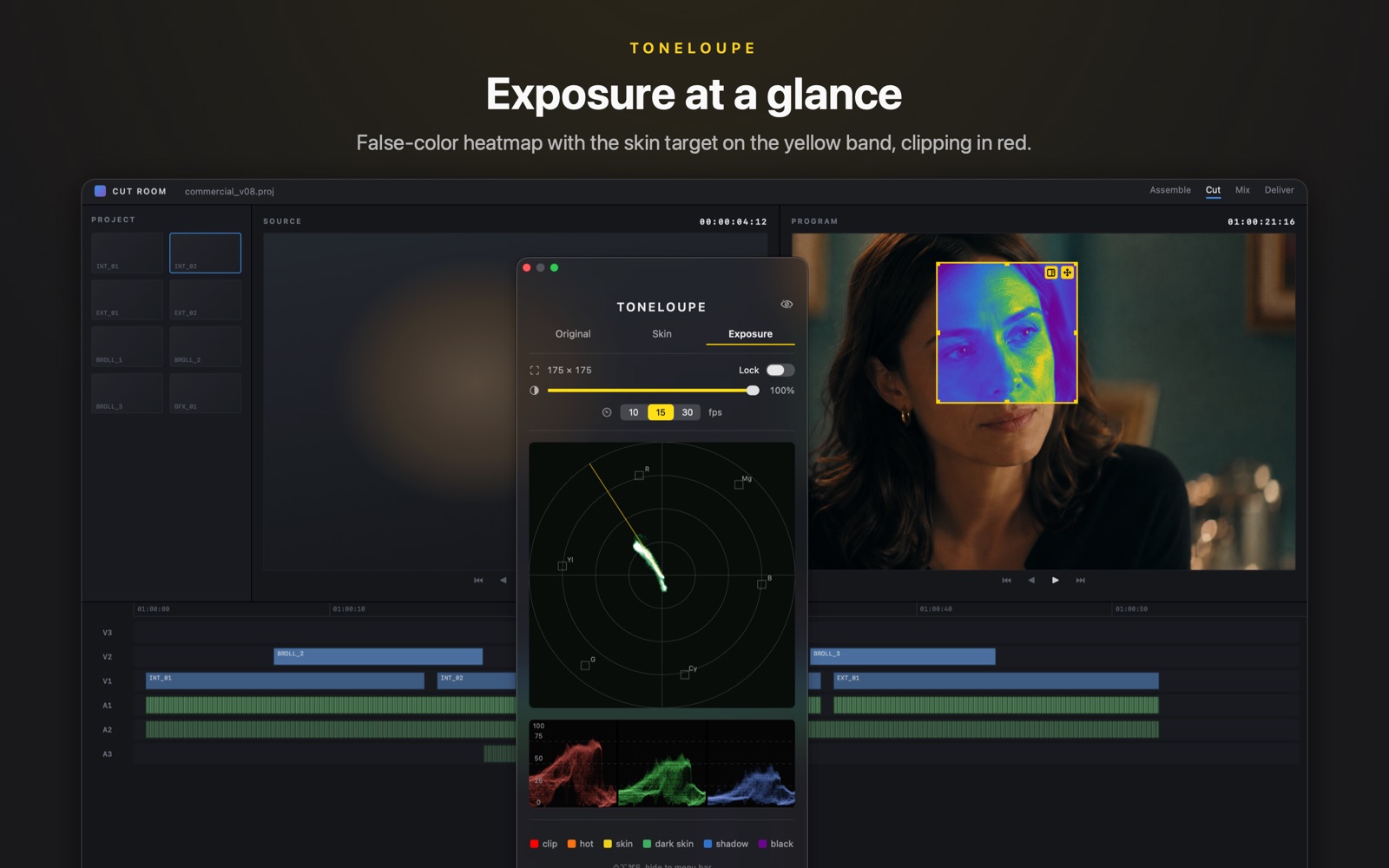
False color remaps every pixel's luminance to a fixed color scale: crushed shadows in purple/blue, mids in green and gray, the skin-exposure zone in pink or yellow, clipped highlights in red. One glance at the frame tells you what's blown, what's buried and where the face sits — spatially, on the image itself, which is the one thing a waveform can't do.
That's why it lives on set: ARRI and RED build it into cameras, SmallHD and Atomos into monitors. A DP pulling exposure doesn't read graphs mid-take; they watch for the face to hold its band.
Reading the bands
Exact colors vary by vendor — learn your tool's legend once — but the logic is universal:
- Red — clipped. No detail, nothing to recover.
- Yellow/orange — just under clipping; highlights with detail, bright skin accents.
- Pink — on many scales, the classic caucasian skin-exposure band (~55–70 IRE); the band a DP rides the key light against. More on the numbers in What IRE should skin be?
- Green/gray — comfortable midtones.
- Blue/purple — deep shadows heading to crush.
The other false color: hue, not luminance
Exposure false color answers "how bright is the skin?" A second, rarer variant answers "is the skin the right color?" — it evaluates each pixel's hue against the vectorscope skin-tone line (explained here) and marks on-line skin one color, drift toward green or magenta another. It turns the subtlest grading error — a hue cast on a face — into something you can't not see. This is the mode ToneLoupe is built around: yellow on the line, green or pink off it, painted on the face while you grade.
Using false color without a dedicated monitor
In post you have three options. Resolve ships a false color effect and third-party plugins exist for most NLEs — inside that NLE. Dedicated scope hardware works — for a four-figure price and a signal chain. Or a screen-level tool: ToneLoupe reads any pixels on your Mac's display, so the same exposure heatmap and skin-line false color work over your NLE, Lightroom, a browser review page, or footage playing anywhere — no routing, no plugins per app.
Skin-line false color and an exposure heatmap on the image itself, plus a live vectorscope and RGB parade — anywhere on your screen.