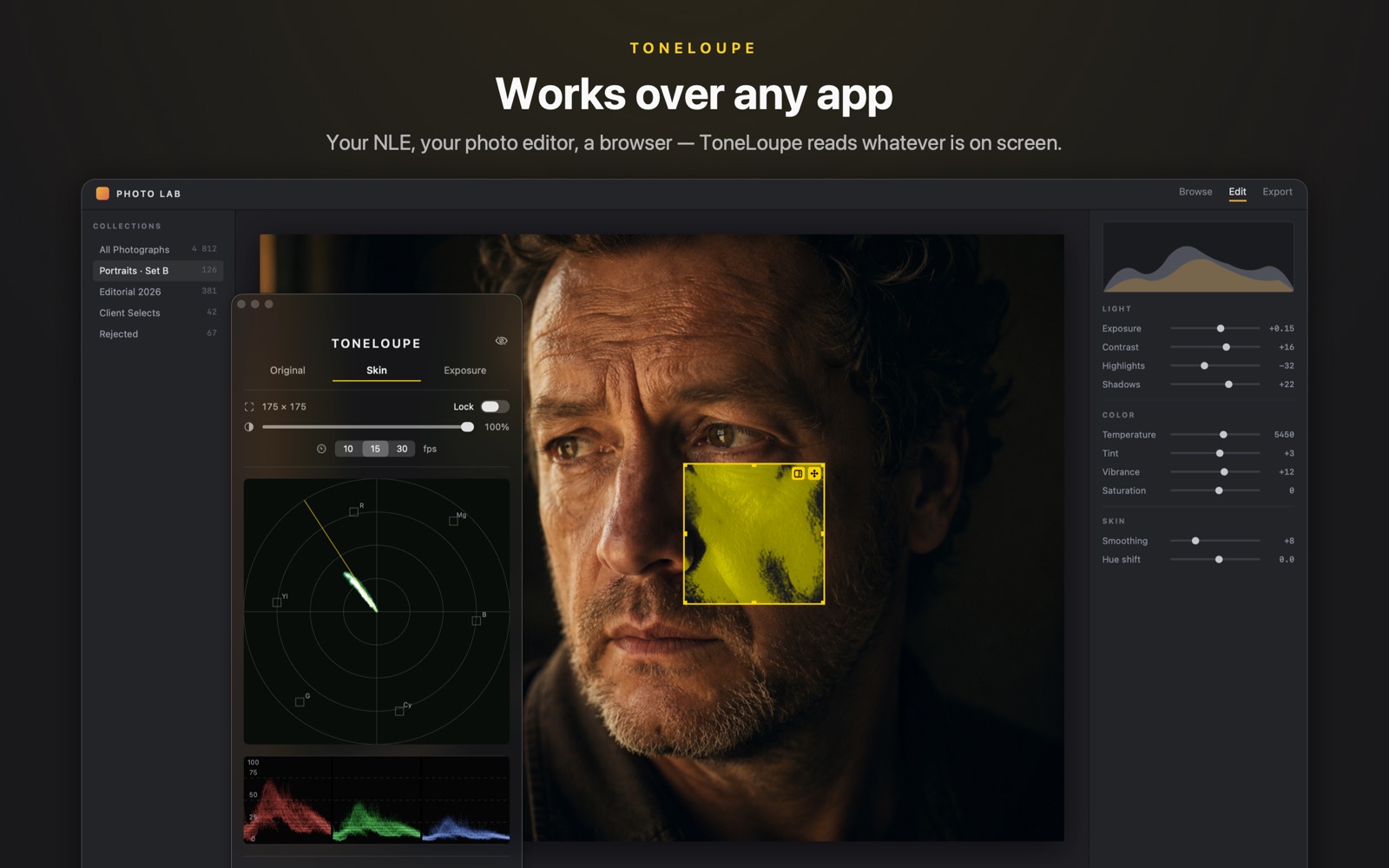
ToneLoupe is a floating loupe for your Mac. Drag it over any image on screen (your NLE, your photo editor, even a browser) and it reads the pixels underneath in real time. No plugins, no signal chain, no export.
Your scopes live in a corner of the interface and read the whole frame. Your client looks at one thing only: the face.
A floating frame that sits above every app. Park it on a face. Its interior stays click-through, so you keep grading underneath.
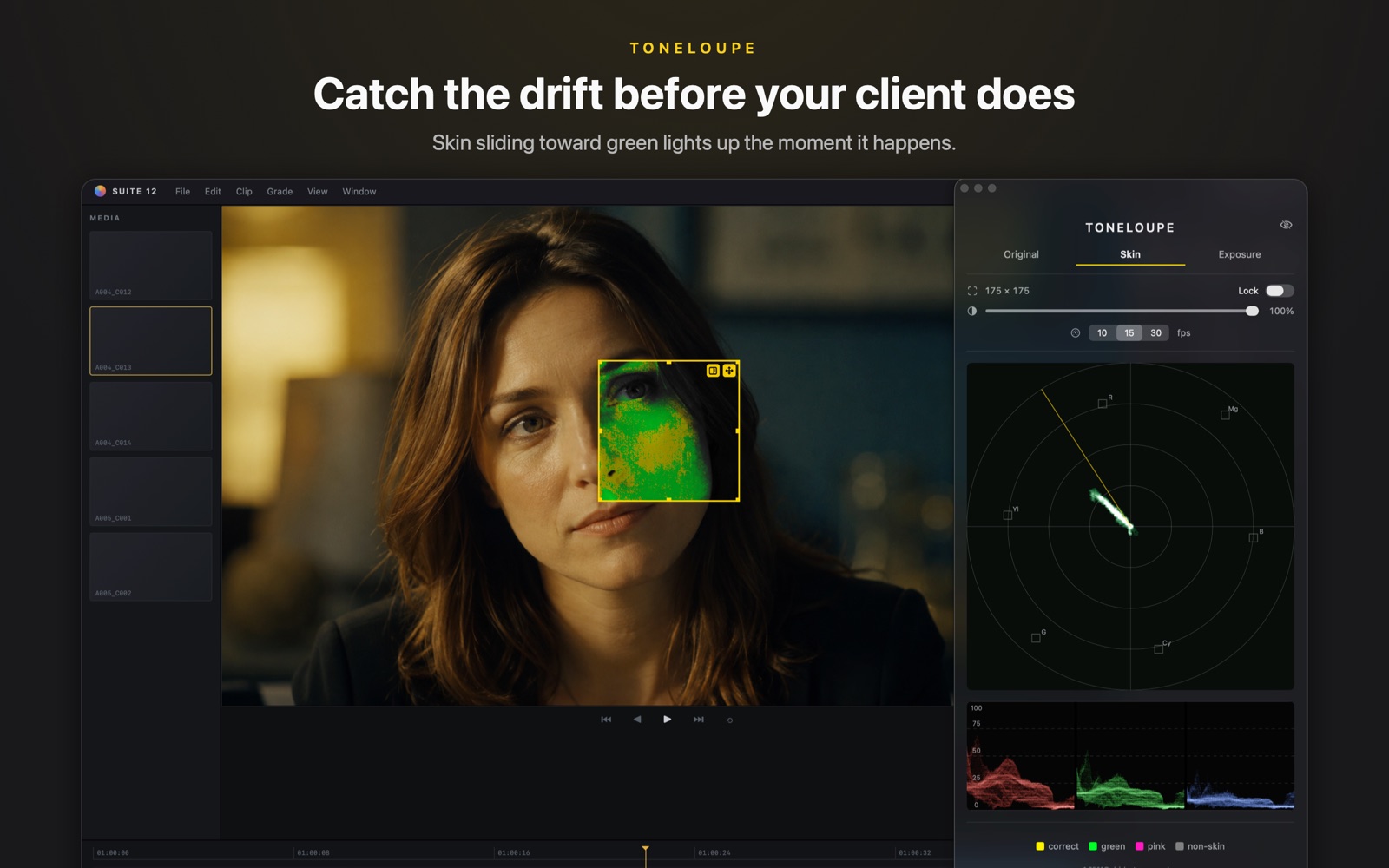
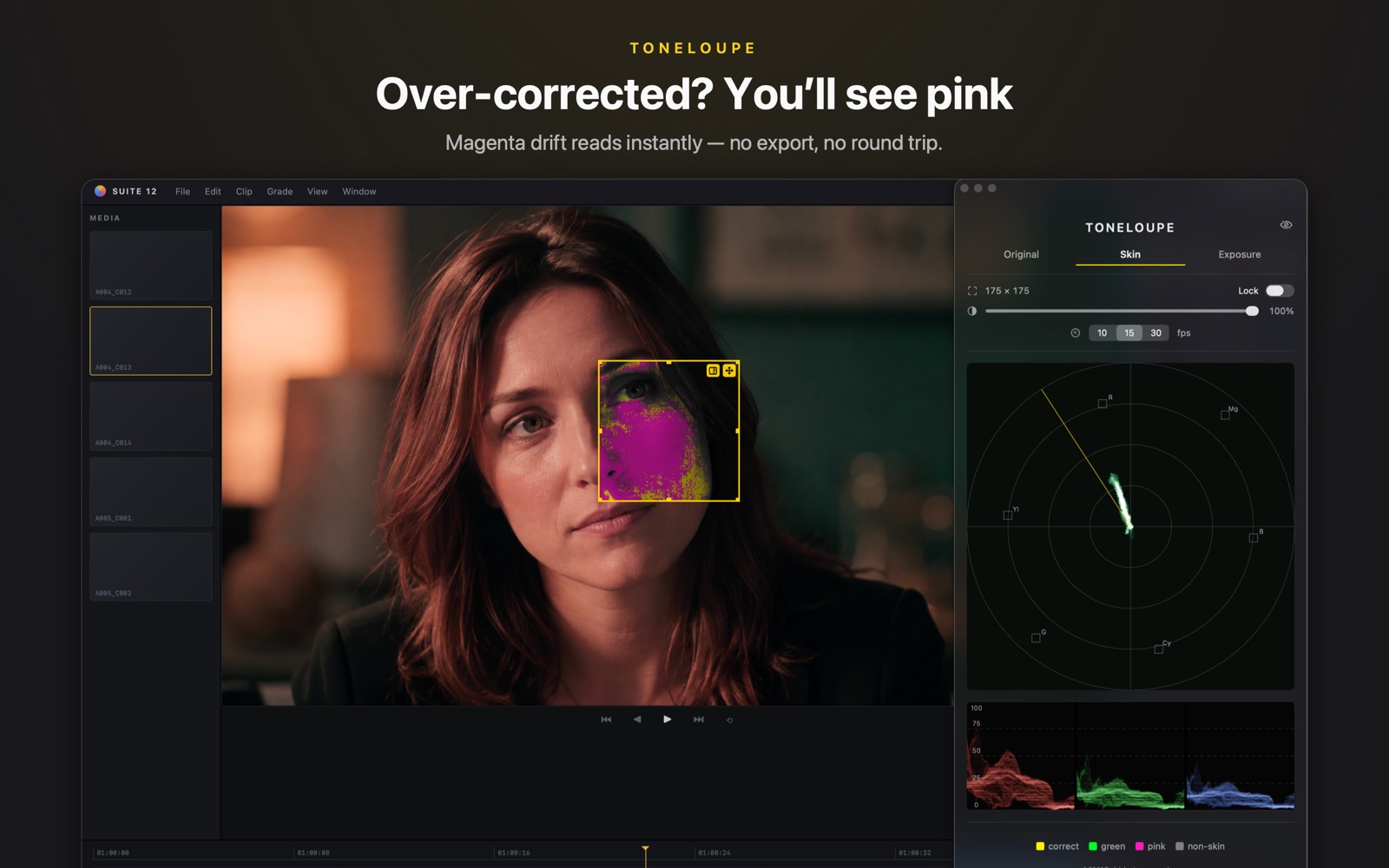
Yellow: skin sits on the vectorscope skin-tone line. Green or pink: it's drifting, and you see exactly where on the face.
The panel's vectorscope and RGB parade read only the loupe region, the face and not the furniture. By how much, at a glance.
The loupe analyzes only the region under it, on the GPU, at up to 30 fps, light enough to leave on all day.
Pixels on the skin-tone line read yellow; hue drift shows as green or pink, on the face itself and not in a corner of your eye.
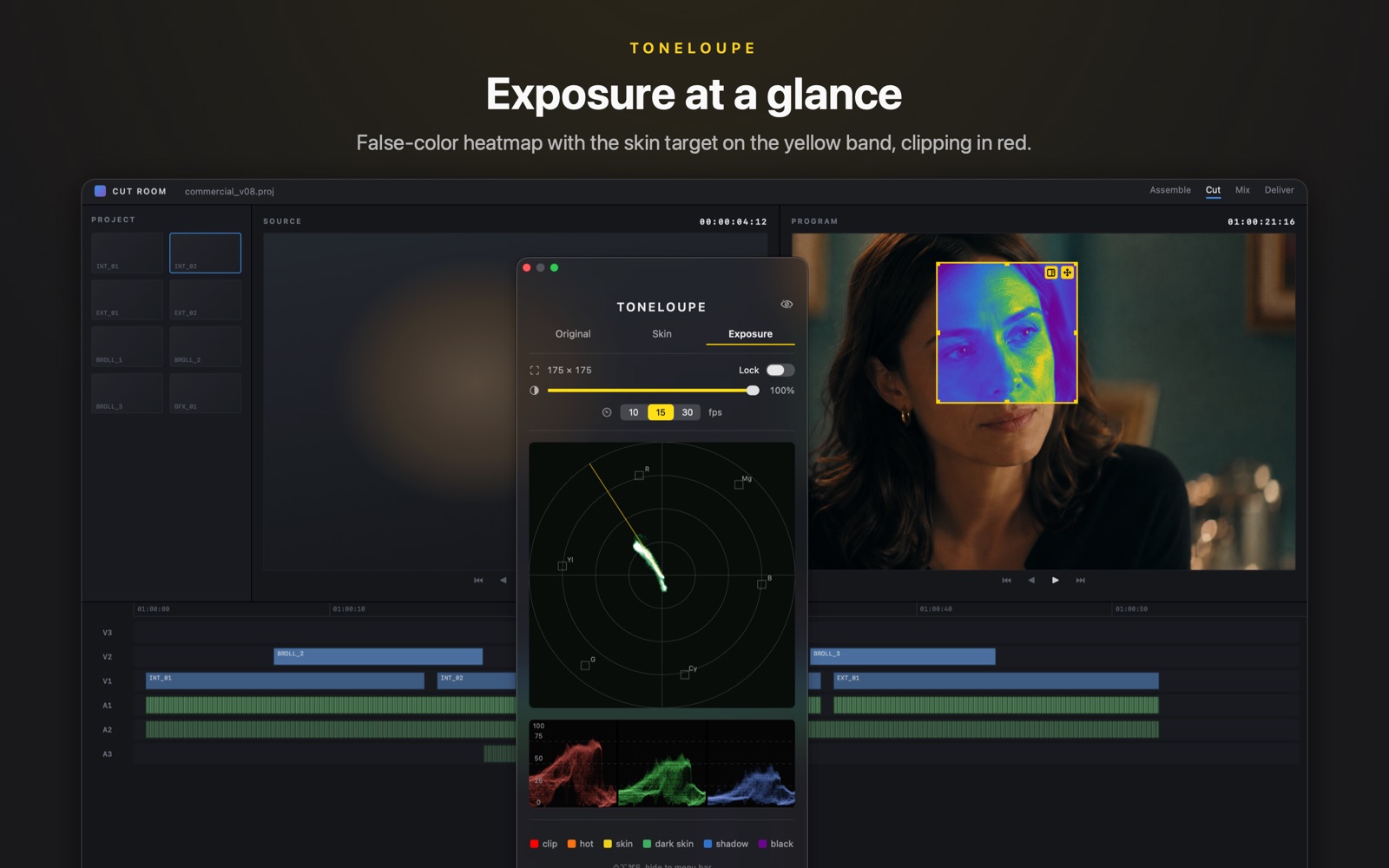
Luminance mapped to false color with the skin target on the yellow band and clipping in red. Ride your key light without leaving the frame.
A vectorscope with the skin-tone line and an RGB parade, reading the loupe region, always the original pixels and never the false color.
| ToneLoupe | Built-in NLE scopes | Dedicated scope apps | |
|---|---|---|---|
| Works over any app on screen | ✓ | ✕ | ✕ |
| False color on the face itself | ✓ | ✕ | ✕ |
| Reads only the region you choose | ✓ | Whole frame | Whole frame |
| Setup | None | Built in | Signal routing |
| Price | $19.99 once | Included | $100+ |
ToneLoupe doesn't replace your NLE's scopes for final QC. It puts a skin-focused read where your eyes already are, in every app on your Mac.
ToneLoupe has just launched, so notes from working colorists will appear here as they come in. If ToneLoupe caught something your eyes missed, we'd love to hear about it.
Send feedbackEvery version: no account, no analytics, and frames never leave your Mac.
Analyzing the pixels under the loupe is the product, and the permission is how macOS allows an app to read the screen. Frames are analyzed on the GPU and discarded immediately; nothing is recorded or transmitted. See the privacy policy.
No. The loupe's interior passes clicks through to the app below. Only the border band takes the mouse (outer edge resizes, inner edge moves), and Lock makes the whole loupe click-through.
The loupe reads the actual pixels your display is showing and evaluates them against the standard vectorscope skin-tone line. Use it as a live early-warning system and a region-focused read; your calibrated pipeline remains the reference for final QC.
macOS 14 (Sonoma) or later, Apple silicon and Intel. Performance cost is roughly 3% CPU at the default 15 fps.
Yes. The loupe and panel float above fullscreen apps and follow you across Spaces. The global shortcut (default ⌃⌥⌘S, changeable) hides everything to the menu bar and brings it back.
None. No accounts, no analytics, no tracking. Frames are analyzed on your Mac's GPU and discarded, and never leave your computer. The copy sold here validates your licence key and checks once a day for a new version; nothing else is sent. The Mac App Store copy makes no network requests at all.
 TONELOUPE