 TONELOUPE
Does CapCut have scopes?
No — CapCut's desktop app has color wheels, curves and HSL controls, but no waveform, no vectorscope, no false color. You're grading blind, and it shows most on the one thing viewers always notice: faces.
Why CapCut edits drift orange
The usual chain of events: footage gets a filter or LUT → the look pushes everything warm → skin goes past "golden" into orange → the editor, eyes adapted after twenty minutes, ships it. Every grading tool causes this; the difference is that Premiere or Resolve users can catch it on a scope, and CapCut users can't. Filters are hue rotations by definition — skin needs checking after every look, not before.
Fixing skin with CapCut's own tools
- White balance before the look. In Adjust → Temperature/Tint, neutralize the shot first — judge it on something that should be gray, not on the face. A global cast fixed here saves three wrong moves later.
- Apply the filter/LUT, then rescue the skin. Use the HSL panel's orange and red ranges: hue a touch toward red if the face went sallow, toward yellow if it went magenta, and pull saturation down before you ever brighten it.
- Strength-check the filter. Most CapCut looks sit better at 50–70% intensity. If skin only looks right at 30%, the look is fighting the footage — pick another.
- Compare against the ungraded frame. Toggle the adjustment off and on; if the graded face looks sicker than the original, the look lost. Consistency across cuts matters more than any single frame.
Adding a real scope on top of CapCut
Everything above is still eyeballing — better eyeballing, but the drift that ruins a video is exactly the kind eyes adapt to. Since CapCut won't draw a scope, put one over it: ToneLoupe floats above any macOS app and reads the pixels under its loupe. Parked on a face in CapCut's preview, it paints skin that sits on the vectorscope skin-tone line yellow and flags drift as green or pink — live, while you drag CapCut's sliders. A floating panel adds a real vectorscope and RGB parade of just the face (how the skin-tone line works).
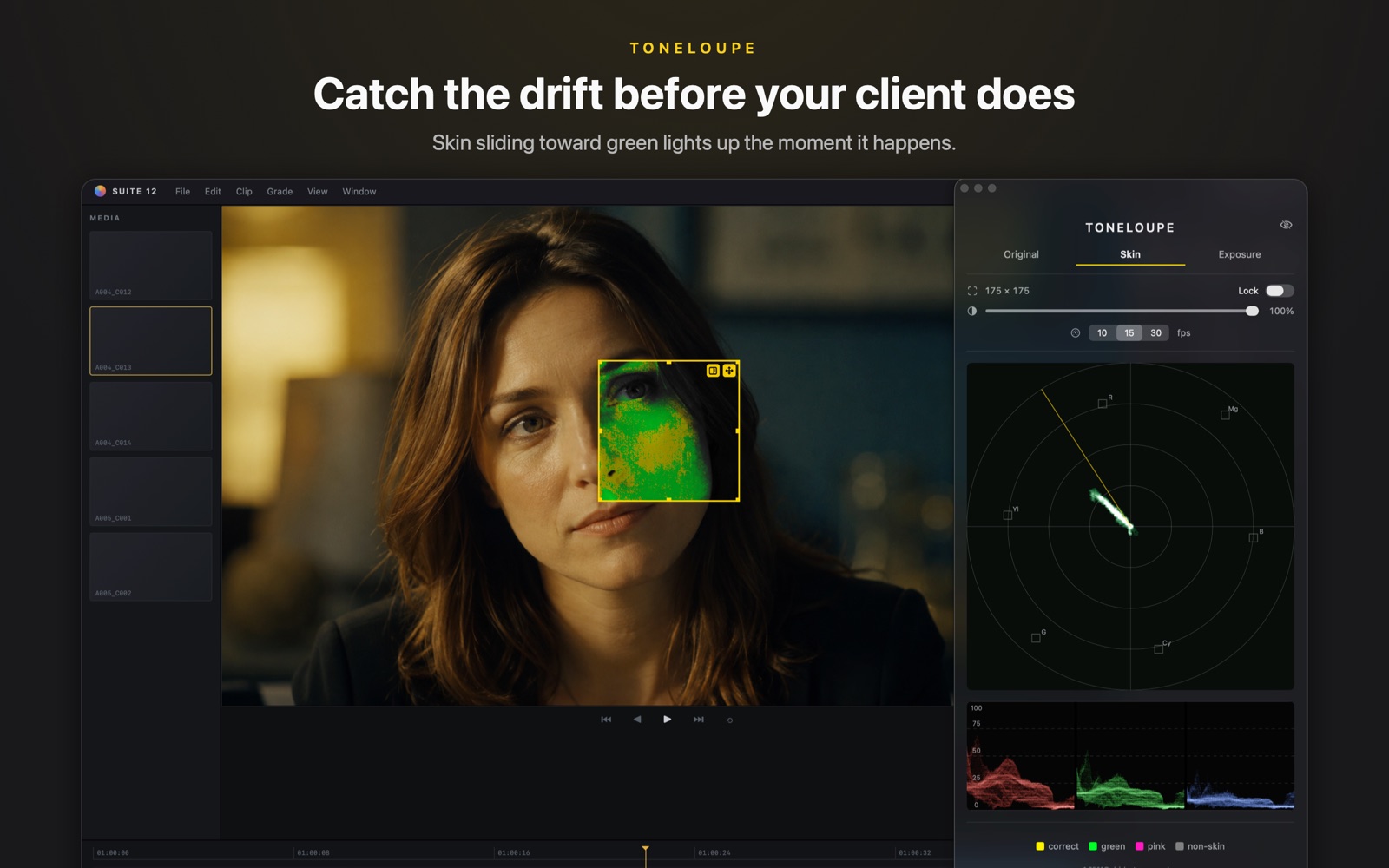

False color on the face, vectorscope and RGB parade of the loupe region — over CapCut or any app on your Mac. ~3% CPU.