 TONELOUPE
Does Photoshop have a vectorscope?
No. Photoshop gives you a histogram and per-pixel readouts. Powerful tools, but neither answers the retoucher's most common question: is this skin tone still believable? Here's how to get the answer anyway.
 ToneLoupe floats a live vectorscope over Photoshop, with skin-line
false color on the face itself. Free 7-day trial →
ToneLoupe floats a live vectorscope over Photoshop, with skin-line
false color on the face itself. Free 7-day trial →
What Photoshop gives you instead
Retouchers have judged color in Photoshop the same way for decades: by the numbers, using the Info panel (Window → Info) and Color Sampler points. Hover any pixel and you get RGB and CMYK values. The craft is in knowing what numbers healthy skin produces.
The RGB check
On smooth, evenly lit skin (forehead or cheekbone, away from blush, stubble and hot highlights), natural skin reads R > G > B, with green sitting roughly between red and blue. If G catches up to R, the face is drifting sallow; if B climbs toward G, it's going pink.
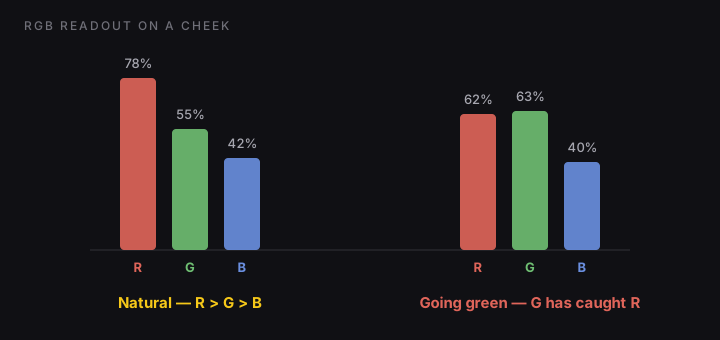
The classic CMYK check
Old-school print retouchers read skin in CMYK, and the rule still holds up: yellow slightly above magenta, cyan well below both. A cheek reading C15 M40 Y45 is healthy; magenta above yellow reads sunburnt, and vanishing cyan reads radioactive orange. Deeper complexions carry more cyan and black, but the relationships hold across complexions even as the absolute numbers change.
Where the numbers method falls short
- It's one pixel at a time. A face is a gradient; the cheek can be fine while the forehead drifts. Sampling three points tells you about three points.
- It doesn't survive a workflow. Checking numbers is a deliberate ritual: pick points, read, interpret. After an hour of retouching, nobody is still doing it, which is exactly when adapted eyes let a cast slip through.
- Dodge & burn and frequency separation shift hue quietly. Luminosity work isn't supposed to touch color, but curves and blend modes bend hue at the extremes, and the drift is too gradual to see.
The same limitation applies in Capture One: solid eyedropper readouts, no spatial view of where the whole face's color actually sits. Camera Raw is now the exception: Camera Raw 18.4 (June 2026) added a vectorscope with a skin-tone line, reachable by right-clicking its histogram, and it reads through an active mask. But it lives in Camera Raw's own window, and Photoshop's workspace itself still has nothing but the Info panel. That spatial view is what a vectorscope gives you, and why video tools have shipped one for decades (the skin-tone line, explained).
A vectorscope over Photoshop
ToneLoupe floats above any app on macOS and reads the pixels under its loupe frame in real time. Park it on the face while you retouch: skin sitting on the vectorscope skin-tone line reads yellow, drift shows as green or pink on the face itself, and the floating panel gives you a live vectorscope and RGB parade of just that region. The numbers method becomes ambient instead of a ritual, and it works identically over Camera Raw, Capture One, or a client gallery in the browser.
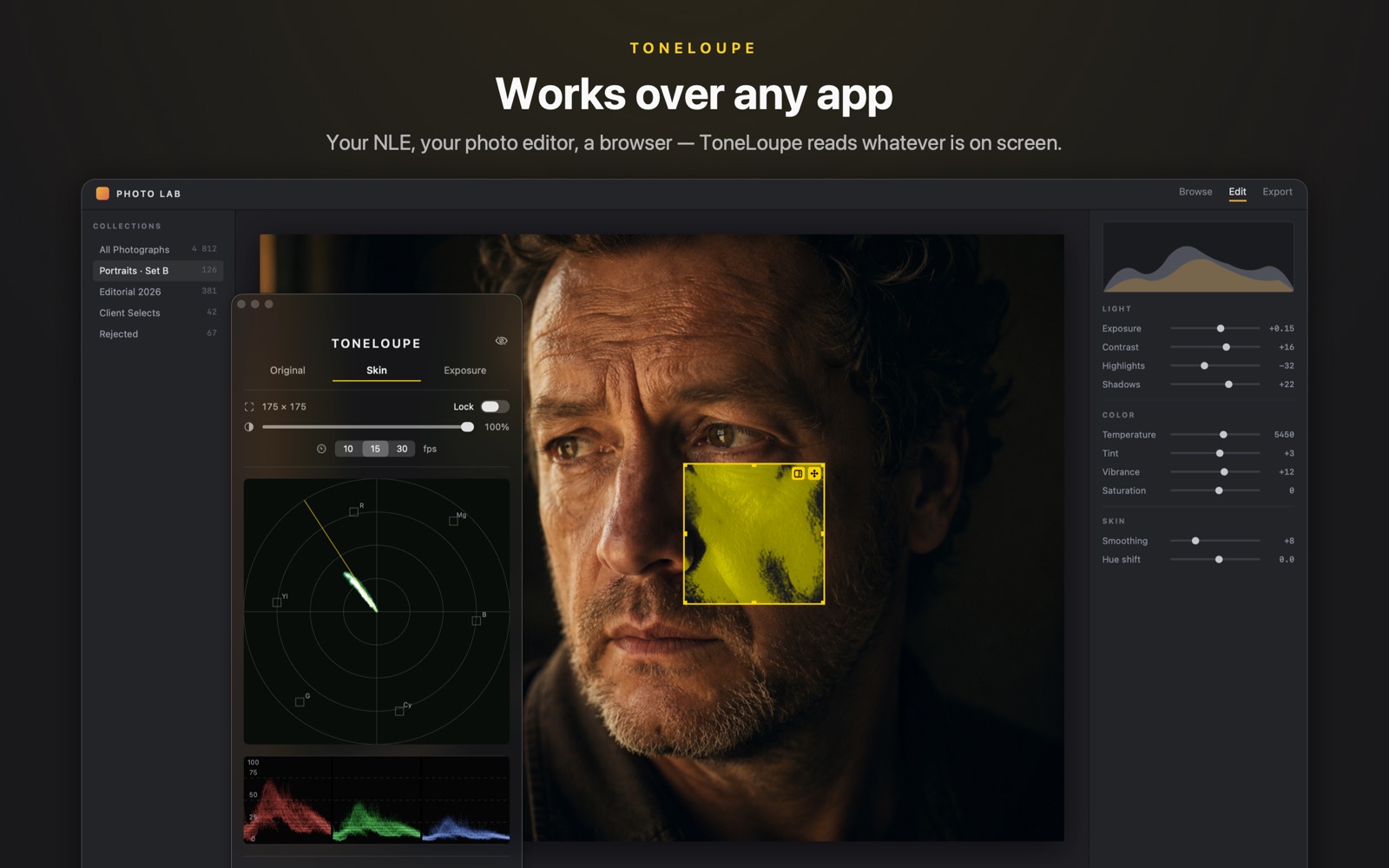
False color on the skin, live vectorscope and RGB parade of the loupe region, over Photoshop or any other app.